 ByAnish

How to Turn Off Autoplay Videos on Facebook, X, and More
How to Turn Off Autoplay on Your Social Media Feeds
Autoplay videos can be distracting, data-hungry, and sometimes overwhelming. Whether you want to save cellular data, avoid viral content, or simply control your feed, most major social platforms let you disable autoplay. Here’s a step-by-step guide for Facebook, Instagram, X (formerly Twitter), and Bluesky.
Turn Off Autoplay on Facebook
- Tap your profile picture icon (top right on desktop, bottom navigation bar on mobile).
- Go to Settings & Privacy → Preferences → Media.
- Under Video Playback, select Never.
Quick path: Settings > Preferences > Media > Video Playback > Never
Turn Off Autoplay on Instagram
Instagram doesn’t have a direct “disable autoplay” option, but you can reduce it:
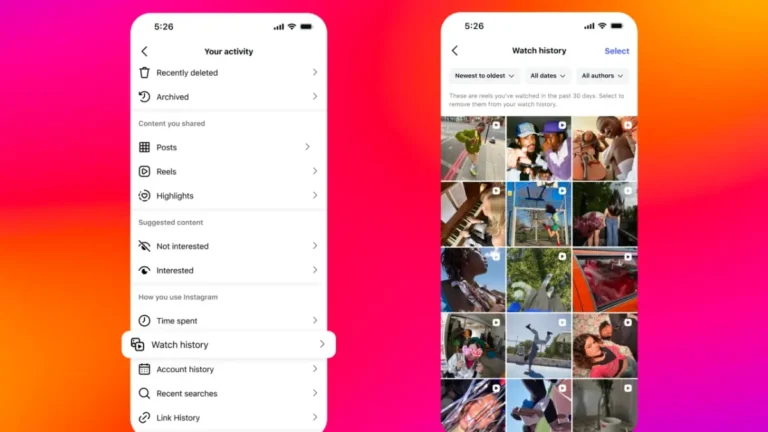
- Go to your profile → menu (three lines) → Settings and activity.
- Tap Your app and media → Media quality.
- Toggle on Use less cellular data to slow autoplay when off Wi-Fi.
Quick path: Profile > Settings and activity > Your app and media > Media quality > Use less cellular data
Turn Off Autoplay on X (Twitter)
- Open the sidebar via your profile picture (desktop: sidebar already visible).
- Go to Settings and privacy → Accessibility, display, and languages → Data usage.
- Toggle off Video autoplay.
Optional:
- Go back to Settings and privacy → Display and sound → toggle off Media previews.
Quick path: Settings and privacy > Accessibility, display, and languages > Data usage > Video autoplay
Turn Off Autoplay on Bluesky
- Tap the menu (three lines) → Settings.
- Go to Content and media.
- Toggle off Autoplay videos and GIFs.
Quick path: Settings > Content and media > Autoplay videos and GIFs
What About Threads?
Currently, Threads does not support turning off autoplay videos. Hopefully, Meta will add this option in future updates.
FAQ: Autoplay Settings on Social Media
1. Why should I turn off autoplay?
To save mobile data, reduce distractions, protect your mental well-being, and avoid seeing unwanted viral content.
2. Does turning off autoplay also stop sounds?
Yes, in most apps. On Instagram, sound only plays if you tap a video.
3. Will this setting sync across devices?
Usually, no. You’ll need to disable autoplay separately on desktop and mobile.
4. Can autoplay be turned off on Threads?
Not yet—Meta hasn’t introduced this option.
Final Thoughts
Autoplay might be convenient, but it’s not for everyone. By toggling it off on Facebook, Instagram, X, and Bluesky, you gain more control over your scrolling experience while saving data and avoiding distractions.