 ByAnish

iOS 26 vs iOS 18 Does Liquid Glass Really Make a Difference?
iOS 26 vs iOS 18: Does Liquid Glass Really Make a Difference?
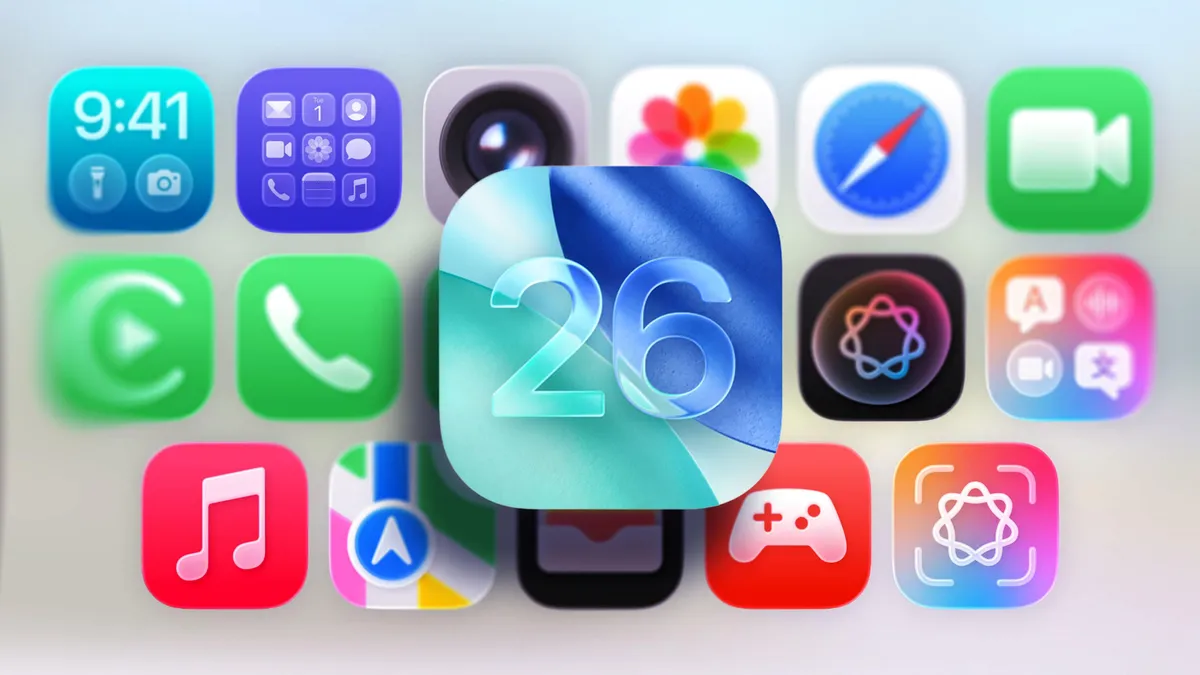
With the arrival of the iPhone 17 lineup, Apple is also rolling out iOS 26, and the biggest visual update is the new Liquid Glass design language. Apple describes it as a mix of translucency, shiny glass-like edges, and subtle UI refinements.
But how much does it really change your iPhone compared to iOS 18? Let’s break it down.
Home Screen Changes
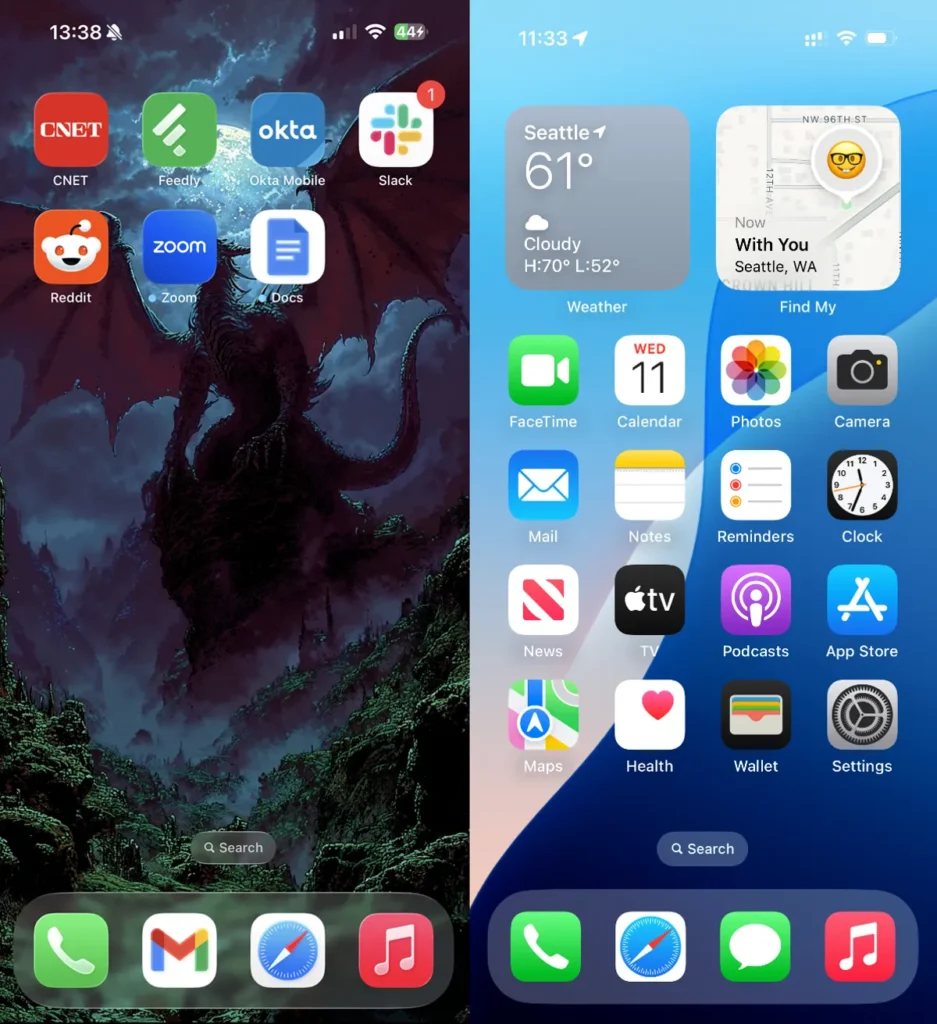
- Dock & Search: In iOS 26, the dock background and search field are more transparent with glassy accents. iOS 18 had darker, more opaque elements.
- Icons: Some app icons (Settings, Camera, Mail) look slightly larger and more refined.
- All Clear Mode: A new option that makes icons and widgets ultra-transparent. This looks sleek, but could reduce visibility unless you enable reduce transparency.
Control Center
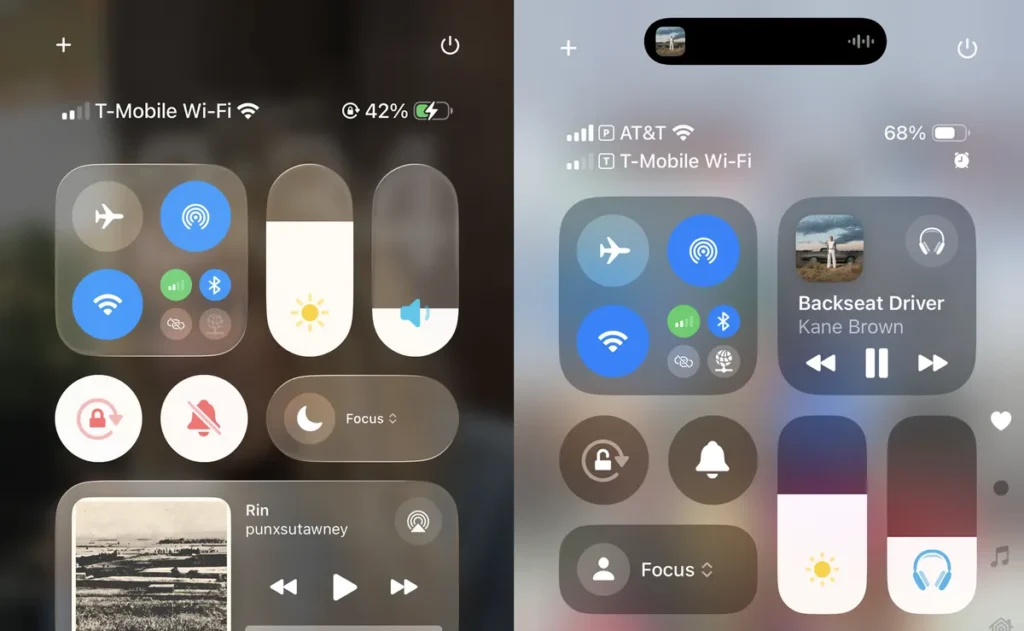
- Both versions look familiar.
- In iOS 26, the 1×2 and 2×1 controls are more rounded and have subtle shine.
- Functionally, little has changed — but the design feels smoother.
Lock Screen Updates
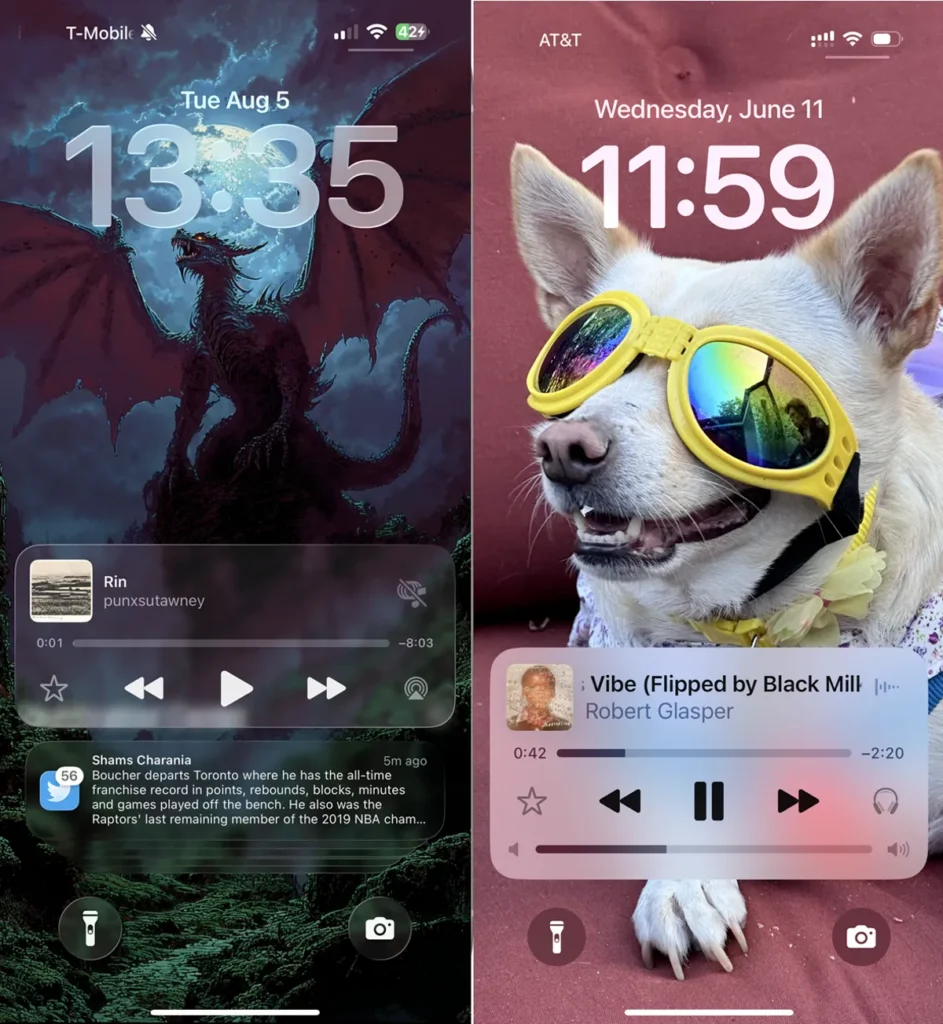
- Dynamic Clock: iOS 26 resizes the clock depending on wallpaper and notifications. iOS 18’s clock was fixed in size.
- Notifications: In iOS 26, notification backgrounds are near-transparent with white text. iOS 18 used darker opaque blocks with black text.
- Unlock Animation: Sliding up to unlock in iOS 26 looks like lifting a sheet of glass with shiny edges.
Menus & Dynamic Tab Bars
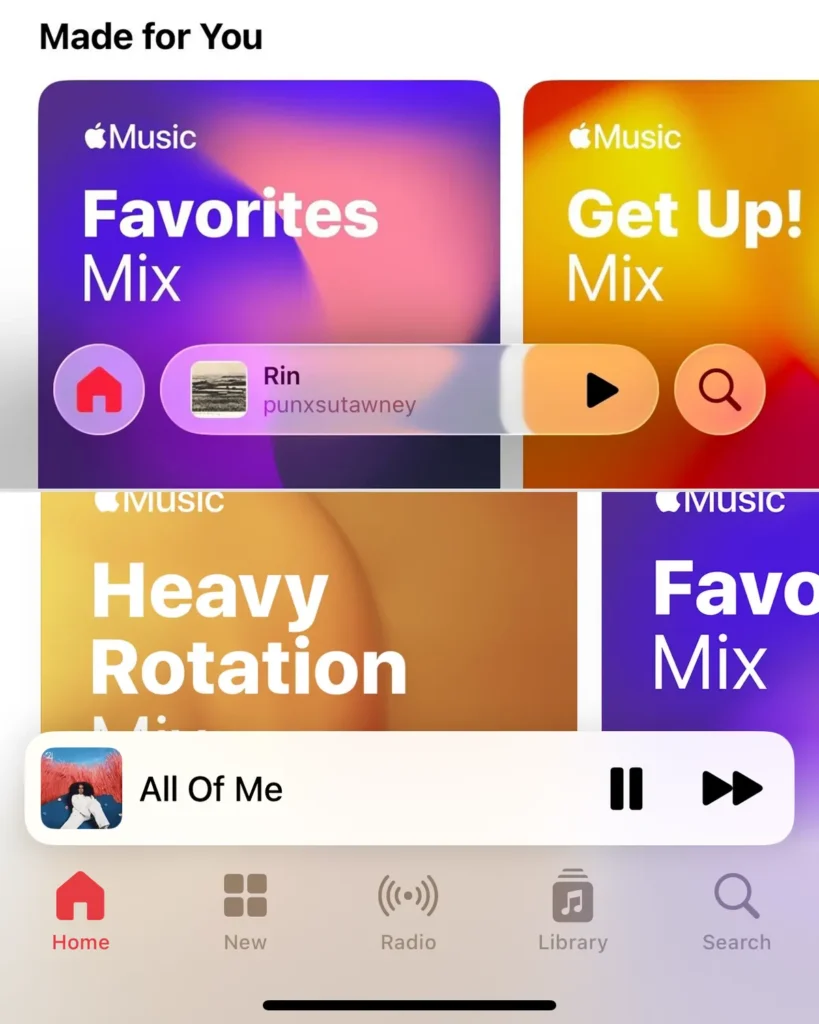
- Dynamic Tabs: A new addition in iOS 26. Tabs shift and adapt depending on scrolling and actions, freeing more space for content.
- Color Adaptation: Menus now auto-adjust text color depending on light or dark backgrounds, improving readability.
- Compared to iOS 18, navigation feels more intuitive and polished.
Final Thoughts: Subtle but Meaningful
Liquid Glass isn’t a dramatic redesign — and that’s intentional. Apple kept the learning curve low while refreshing the interface with depth, transparency, and smoother animations.
If you’re upgrading from iOS 18 to iOS 26, you’ll notice:
- A sleeker home screen
- Smarter lock screen interactions
- Cleaner tab navigation
It’s not a complete overhaul, but it’s enough to make your iPhone feel modern without being overwhelming.
FAQs: iOS 26 vs iOS 18
1. What is Liquid Glass in iOS 26?
It’s Apple’s new design style featuring translucency, shiny glass-like edges, and adaptive menus.
2. Is iOS 26 harder to use than iOS 18?
No. Apple kept the interface familiar, so there’s no steep learning curve.
3. Does Liquid Glass affect performance?
Not noticeably. Apple optimizes UI effects to run smoothly, especially on newer devices.
4. Which iPhones get iOS 26?
Alongside the iPhone 17 lineup, iOS 26 will roll out to older supported iPhones in September 2025.