
ByAnish
iOS 26.3 New Features: iPhone to Android Transfer, More
Apple has released the first iOS 26.3 beta, and while it’s a relatively small update, it introduces major interoperability changes that could reshape how iPhone users interact with Android devices and third-party wearables.
The update focuses on cross-platform compatibility, regulatory compliance in the EU, and subtle UI improvements. Here’s everything new in iOS 26.3 so far.
🔄 Transfer From iPhone to Android (Biggest Feature)
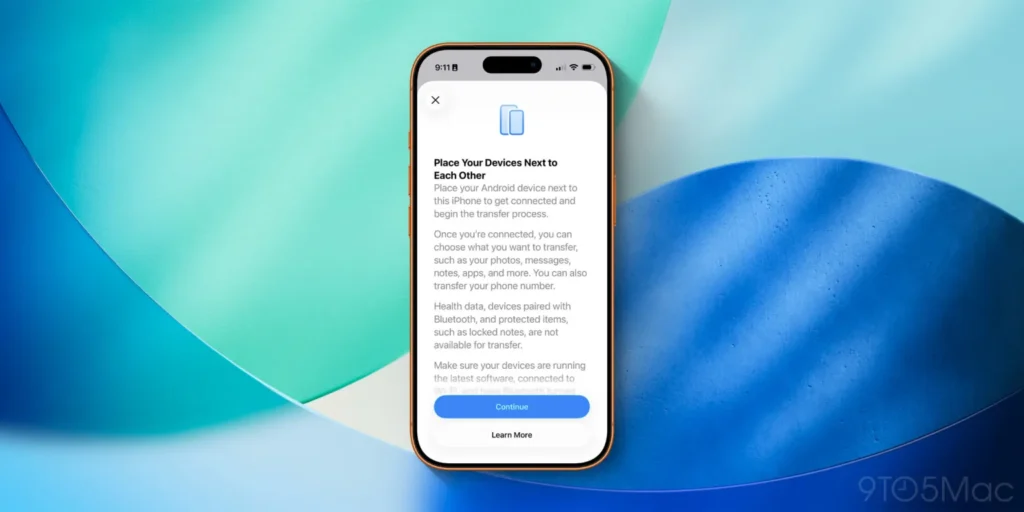
The headline feature in iOS 26.3 is a brand-new “Transfer to Android” system, developed through a rare collaboration between Apple and Google.
This feature makes switching from an iPhone to an Android device significantly easier.
How It Works
- Go to Settings → General → Transfer or Reset iPhone
- Select Transfer to Android
- Place your Android device near your iPhone
- Follow on-screen instructions to begin wireless transfer
What Gets Transferred
- Photos & videos
- Messages
- Notes
- Apps
- Phone number
What Does Not Transfer
- Health data
- Bluetooth device pairings
- Locked notes
- Certain sensitive system data
Apple and Google confirmed that more data types will be added during the beta testing period on both platforms.
This move follows Apple’s recent adoption of RCS messaging, signaling a broader shift toward cross-platform friendliness.
⌚ Notification Forwarding to Third-Party Wearables
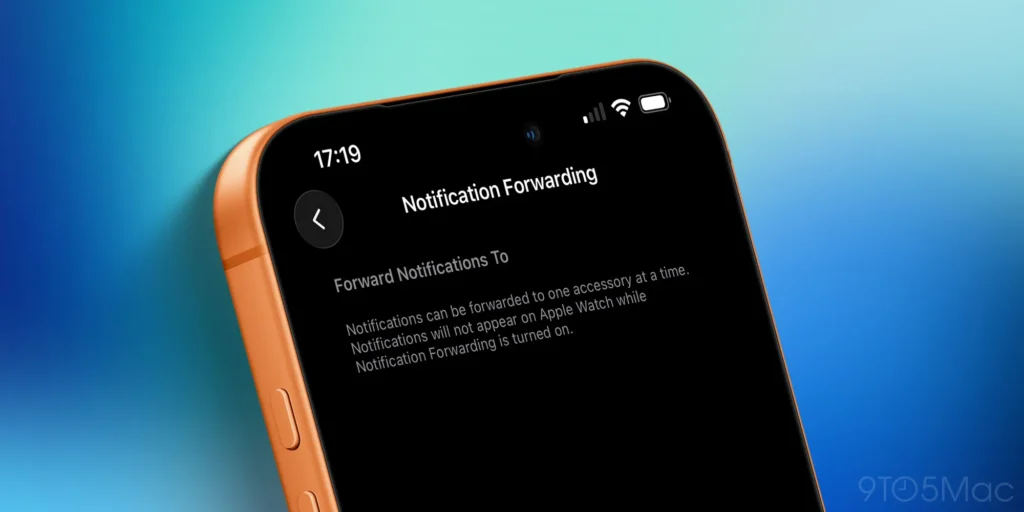
iOS 26.3 introduces Notification Forwarding, allowing iPhone notifications to appear on non-Apple smartwatches and other accessories.
Key Details
- Only one accessory can receive forwarded notifications
- Notifications will not appear on Apple Watch when enabled
- Found under Settings → Notifications → Notification Forwarding
Important Limitation
This feature is currently limited to the European Union, as Apple prepares to comply with Digital Markets Act (DMA) regulations.
Apple has expressed privacy concerns but is implementing the feature due to regulatory requirements.
🌦️ Wallpaper Menu Changes
Apple has made a small but noticeable UI change to wallpapers in iOS 26.3.
What’s New
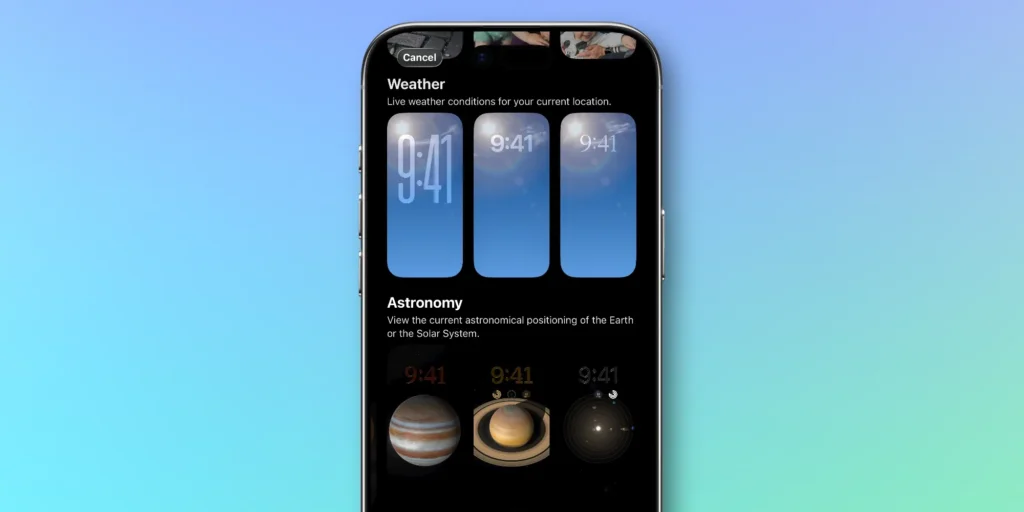
- The Weather & Astronomy wallpaper category is now split into:
- Weather
- Astronomy
- New pre-built Weather wallpapers have been added
Weather wallpapers continue to show live local weather, while Astronomy wallpapers reflect real-time Earth and Solar System positioning.
📅 iOS 26.3 Release Date (Expected)
Apple hasn’t announced an official release date yet, but based on past timelines:
- iOS 18.3 → January 27
- iOS 17.3 → January 22
📌 Expected public release:
👉 Late January or early February 2026
More features may arrive in upcoming beta releases.
🔍 iOS 26.3 Beta: Should You Install It?
If you’re a developer or public beta tester, Apple recommends installing iOS 26.3 only on a secondary device.
Potential beta risks include:
- Bugs & instability
- Shorter battery life
- App compatibility issues
Final Thoughts
iOS 26.3 may be a smaller update compared to iOS 26.2, but it introduces one of Apple’s biggest shifts in years — making it easier to leave the iPhone ecosystem.
Between iPhone-to-Android transfers, third-party smartwatch support, and EU-driven changes, this update signals a more open Apple — even if driven by regulation.
FAQs
What is new in iOS 26.3?
iOS 26.3 adds iPhone-to-Android data transfer, notification forwarding to third-party wearables, and wallpaper category updates.
Can iOS 26.3 transfer data from iPhone to Android?
Yes. A new “Transfer to Android” option allows wireless transfer of photos, messages, apps, and more.
Does iOS 26.3 support non-Apple smartwatches?
Yes, via Notification Forwarding, but currently only in the European Union.
When will iOS 26.3 be released to the public?
Apple is expected to release iOS 26.3 in late January or early 2026.
About the Author
Anish is the founder of TechBoltX, sharing mobile gaming rewards, guides, and daily updates.