
ByAnish
Xbox Servers Down Right Now? Server Status, Error 0x87dd000f
Is Xbox Servers Down Right Now?
If you cannot sign in, connect online, or access Xbox services, you may be asking:
Are Xbox servers down right now?
The good news is that Xbox services are currently reported as online and operational. However, some players are still experiencing connection issues, login failures, and the common Xbox 0x87dd000f error.
Here’s what you need to know.
Xbox Server Status Today
At the moment:
✅ Xbox services are online
✅ Xbox Network is operational
✅ Xbox Game Pass services are available
However, some users have reported:
- sign-in issues
- connection interruptions
- account authentication failures
- Xbox 0x87dd000f errors
Before troubleshooting, always check the official Xbox server status page for any active outages.
What Is Xbox Error 0x87dd000f?
The Xbox 0x87dd000f error is a sign-in and connectivity error.
It usually appears when:
- Xbox cannot verify account credentials
- network communication fails
- servers recently recovered from an outage
- DNS problems interrupt connections
This is one of the most searched Xbox errors.
How to Fix Xbox Error 0x87dd000f
Try these fixes one by one.
Restart Your Xbox Console
A full restart often solves temporary network issues.
Steps:
- Hold the Xbox power button.
- Wait until the console completely shuts down.
- Unplug the power cable.
- Wait 30 seconds.
- Reconnect and restart.
This clears temporary cache files.
Restart Your Router and Modem
Network hardware can sometimes cause connection problems.
Steps:
- Turn off router and modem.
- Unplug both devices.
- Wait 30–60 seconds.
- Plug them back in.
- Allow internet to reconnect fully.
Then try signing in again.
Remove and Re-Add Your Xbox Account
Corrupted profile data can cause login failures.
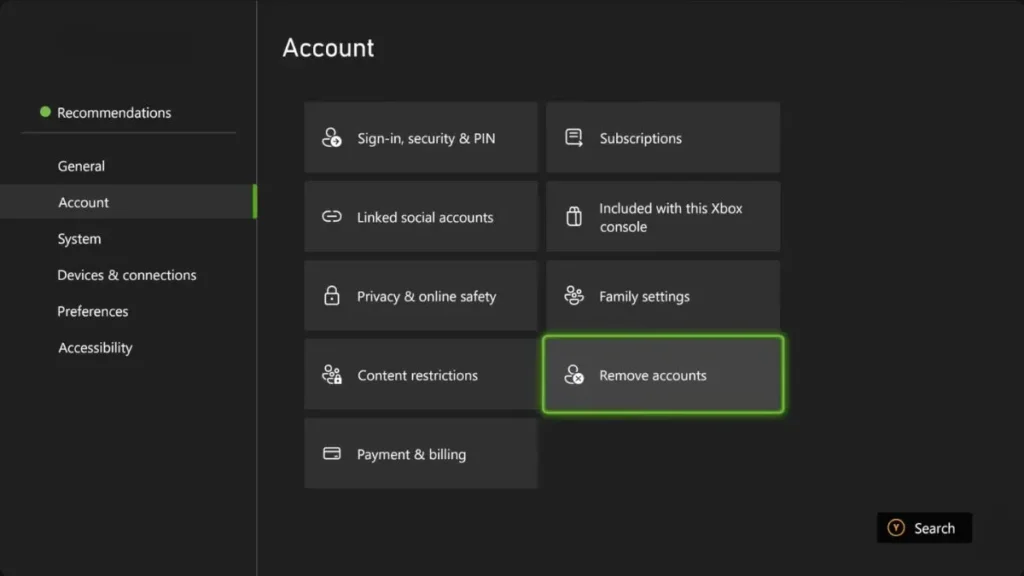
Steps:
- Open Settings
- Select Account
- Choose Remove Accounts
- Remove your profile
- Restart the console
- Add the account again
Your cloud data remains linked to your Microsoft account.
Change DNS Settings
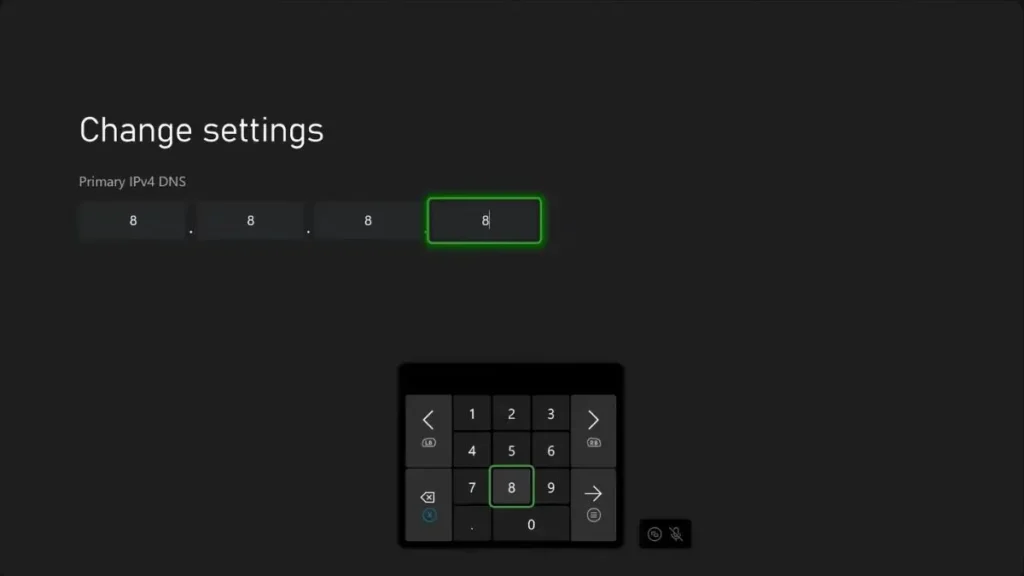
Sometimes ISP DNS servers respond slowly.
Popular alternatives:
Google DNS
Primary:
8.8.8.8
Secondary:
8.8.4.4
Cloudflare DNS
Primary:
1.1.1.1
Secondary:
1.0.0.1
Navigate to:
Settings > General > Network Settings > Advanced Settings > DNS
After saving changes, restart the console.
Check for Xbox System Updates
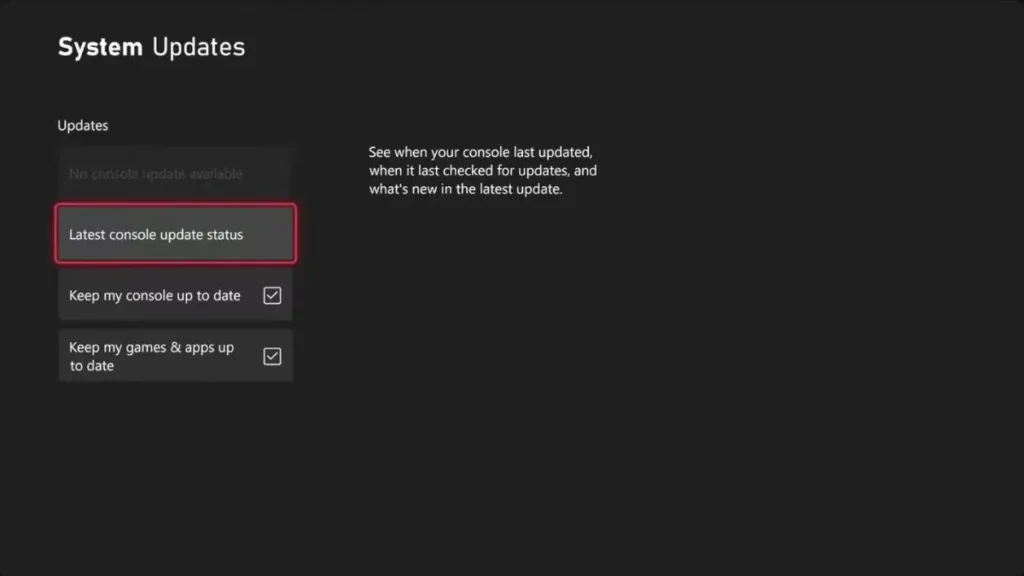
Outdated firmware may cause connection issues.
To check:
- Open Settings
- Select System
- Choose Updates
Install any available updates.
Common Reasons Xbox Login Fails
Several things can trigger Xbox sign-in problems:
- temporary server outages
- internet issues
- DNS failures
- corrupted profile data
- unfinished system updates
- account authentication problems
Most cases are fixed using the methods above.
When Should You Wait?
If many players are reporting problems and Microsoft’s status page shows an outage, the best option is simply waiting for Microsoft’s engineers to restore service.
No local fix can solve a server-side outage.
Final Verdict
If you’re wondering “Are Xbox servers down right now?”, current reports indicate Xbox services are working normally.
If you’re seeing the Xbox 0x87dd000f error, try:
✅ restarting Xbox
✅ rebooting your router
✅ re-adding your account
✅ changing DNS settings
✅ installing updates
These fixes solve most Xbox login issues.
FAQ
Are Xbox servers down right now?
Currently, Xbox services are reported as online and operational.
What causes Xbox error 0x87dd000f?
The error is usually caused by sign-in or network connectivity problems.
How do I fix Xbox 0x87dd000f?
Restart your console, reboot your router, re-add your account, and try changing DNS settings.
How do I check Xbox server status?
Visit the official Xbox Server Status page to see current service availability.
About the Author
Anish covers Roblox guides, events, and tips. He helps players find secrets, updates, and gameplay tricks.